
Dashboard
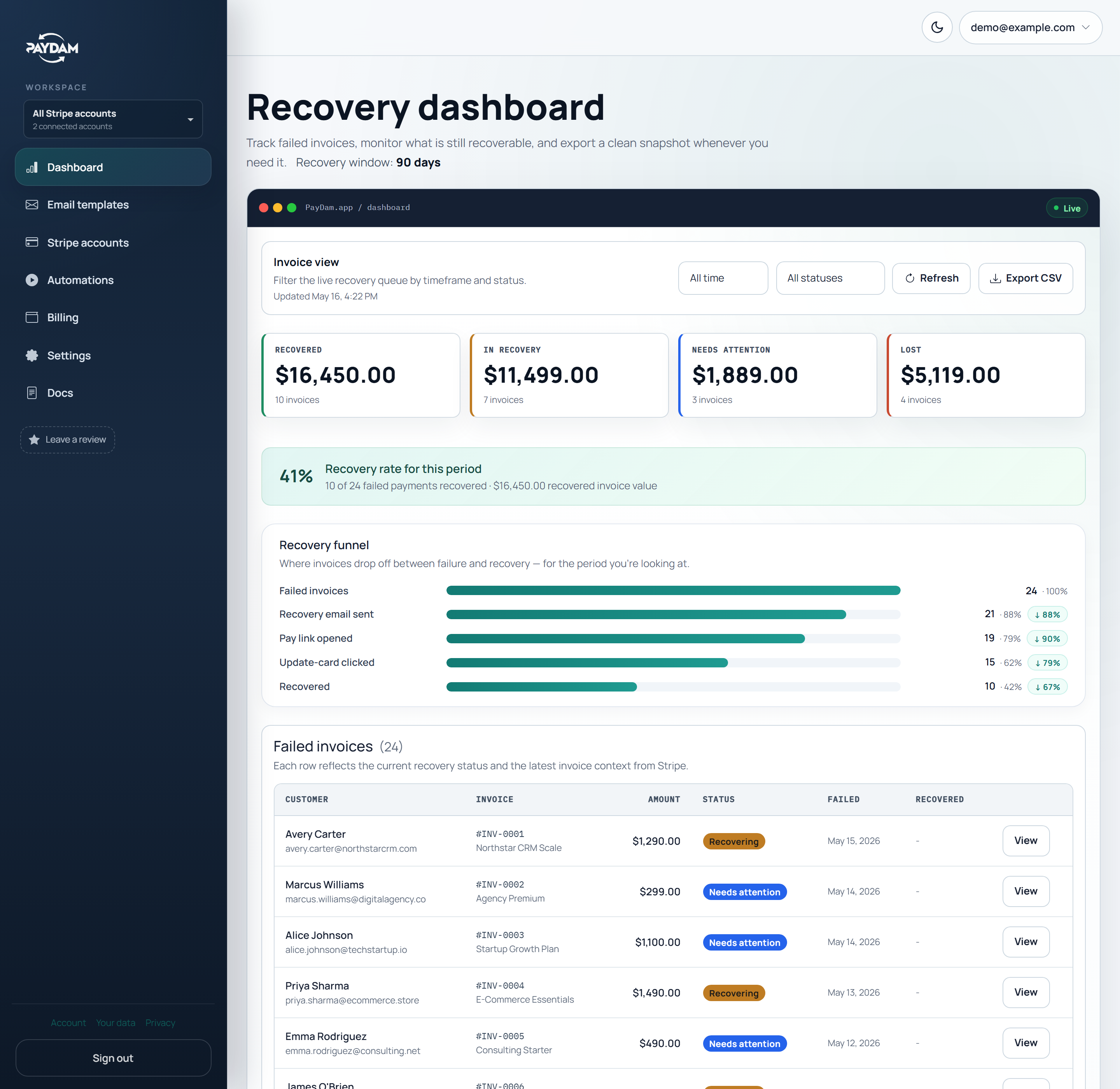
See failed invoices by status.
Track recovered invoice value, invoices still in recovery, customer engagement, and invoices that need attention without digging through raw Stripe events.
Product tour
PayDam gives your team the customer-facing recovery layer around Stripe Smart Retries: branded emails, Stripe-powered recovery pages, invoice status, and controls for when support needs to step in.
Track recovered invoice value, invoices still in recovery, customer engagement, and invoices that need attention without digging through raw Stripe events.
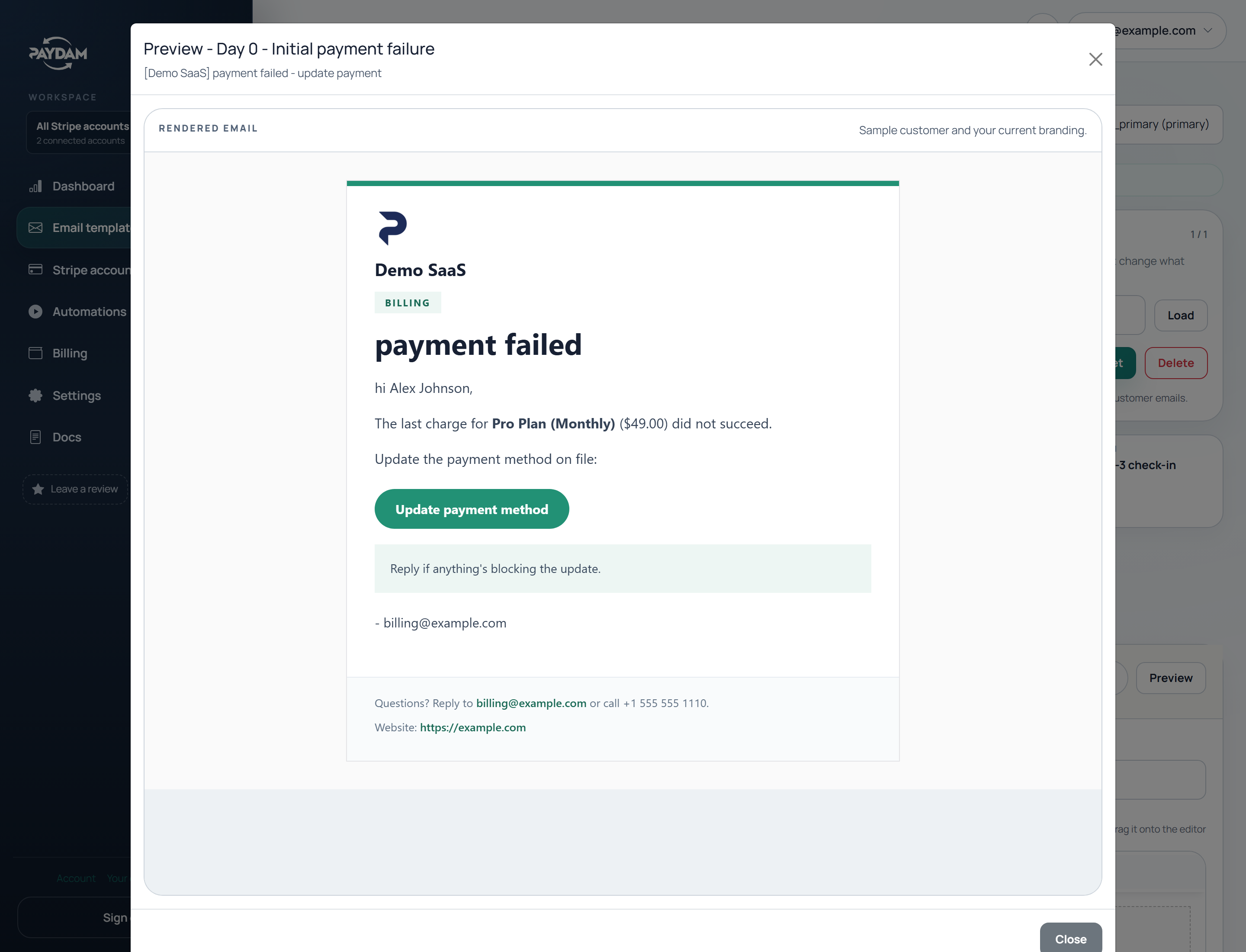
Start from a playbook, edit the subject and body, preview the customer email, and keep the recovery sequence aligned with your brand and support process.
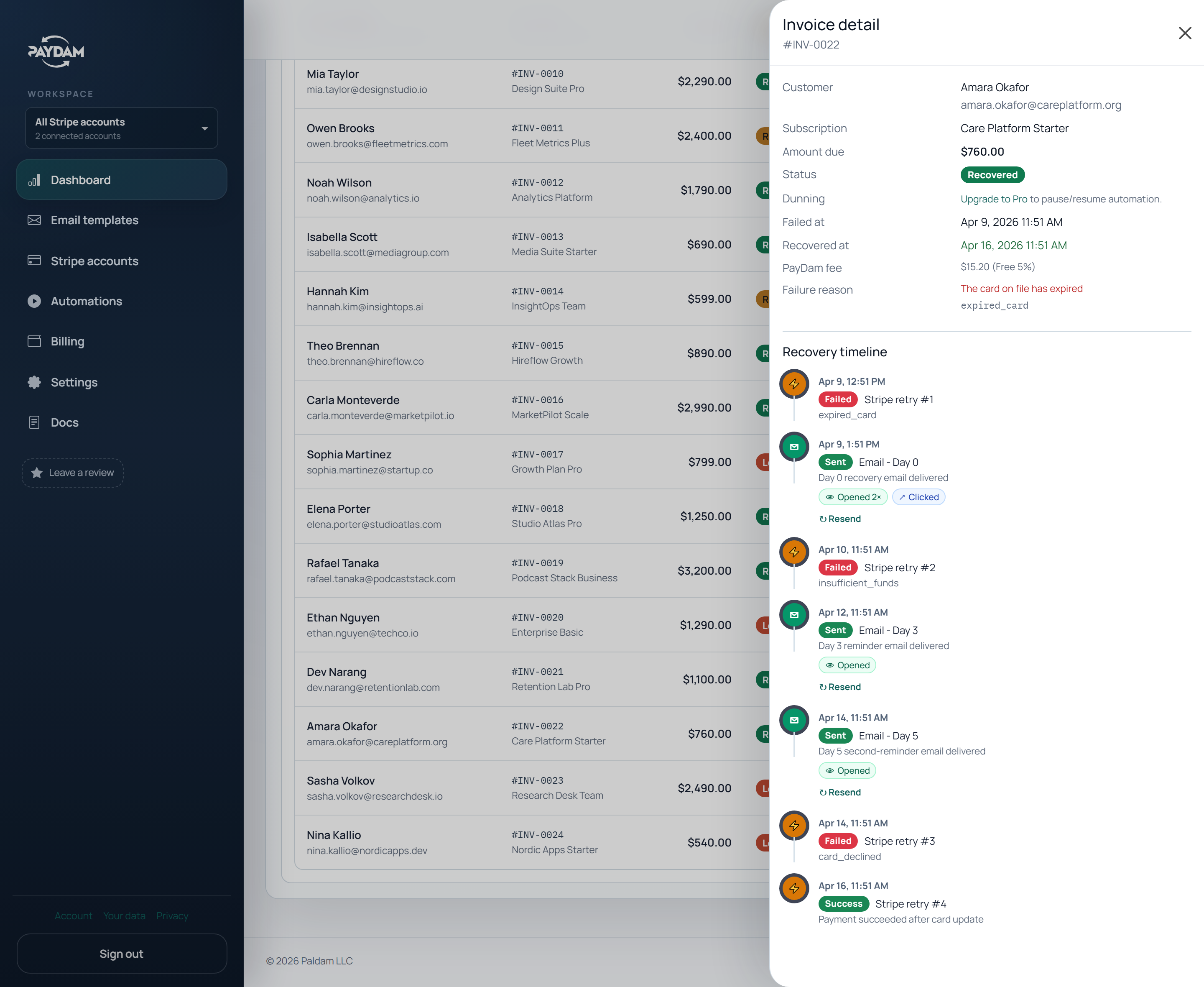
Open a failed invoice to see the customer, invoice state, email events, Stripe retry context, and the manual controls available to your team.
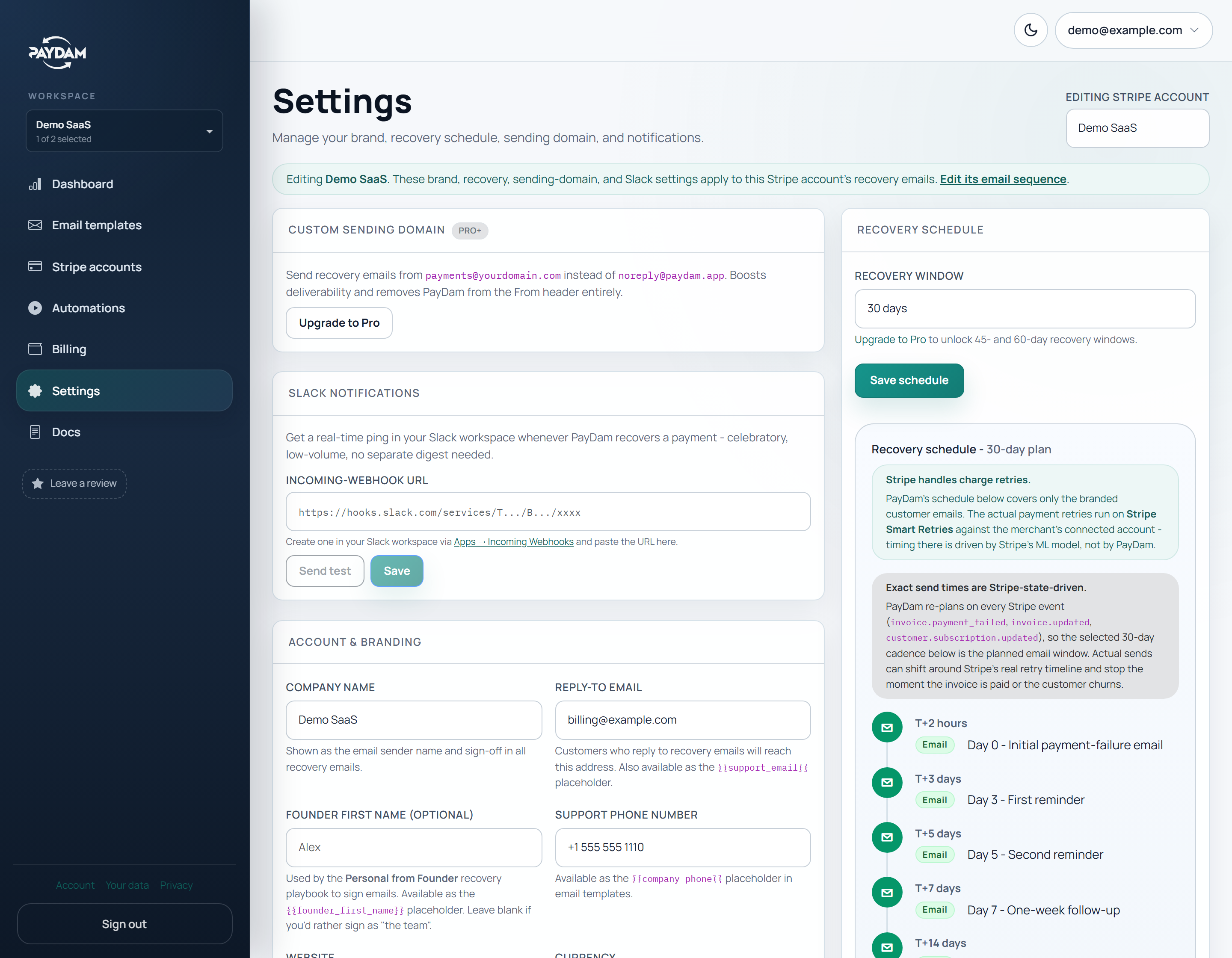
Manage connected Stripe accounts, sender details, recovery windows, notification settings, and account-specific recovery configuration from one workspace.
Use built-in playbooks as a starting point, then adjust tone, timing, sender identity, and follow-up length based on the plan and the customer relationship.
Feature grid
Connect through Stripe OAuth when available, or use a restricted API key with the required permissions pre-filled.
Send recovery emails with your company name, support identity, logo, accent color, and sender details.
Customers use Stripe-hosted payment-method flows, while PayDam tracks the recovery status around the invoice.
See failed invoices, recovery status, email engagement, customer context, and the next operational action.
Pause recovery when a customer contacts support, needs special handling, or should not receive more automated reminders.
Leave operational context for the next person who opens the failed invoice or customer record.
Know whether the customer saw the recovery email and whether they reached the Stripe-powered recovery page.
Keep several connected Stripe accounts inside one PayDam workspace with account-aware filters and settings.
See which recovered invoices PayDam touched before recovery so the monthly fee is easier to reason about.
Connect Stripe, keep Smart Retries running, and let PayDam handle the customer recovery layer.
Start free - no card required